
What Is ATEM Software Control and What Does It Do

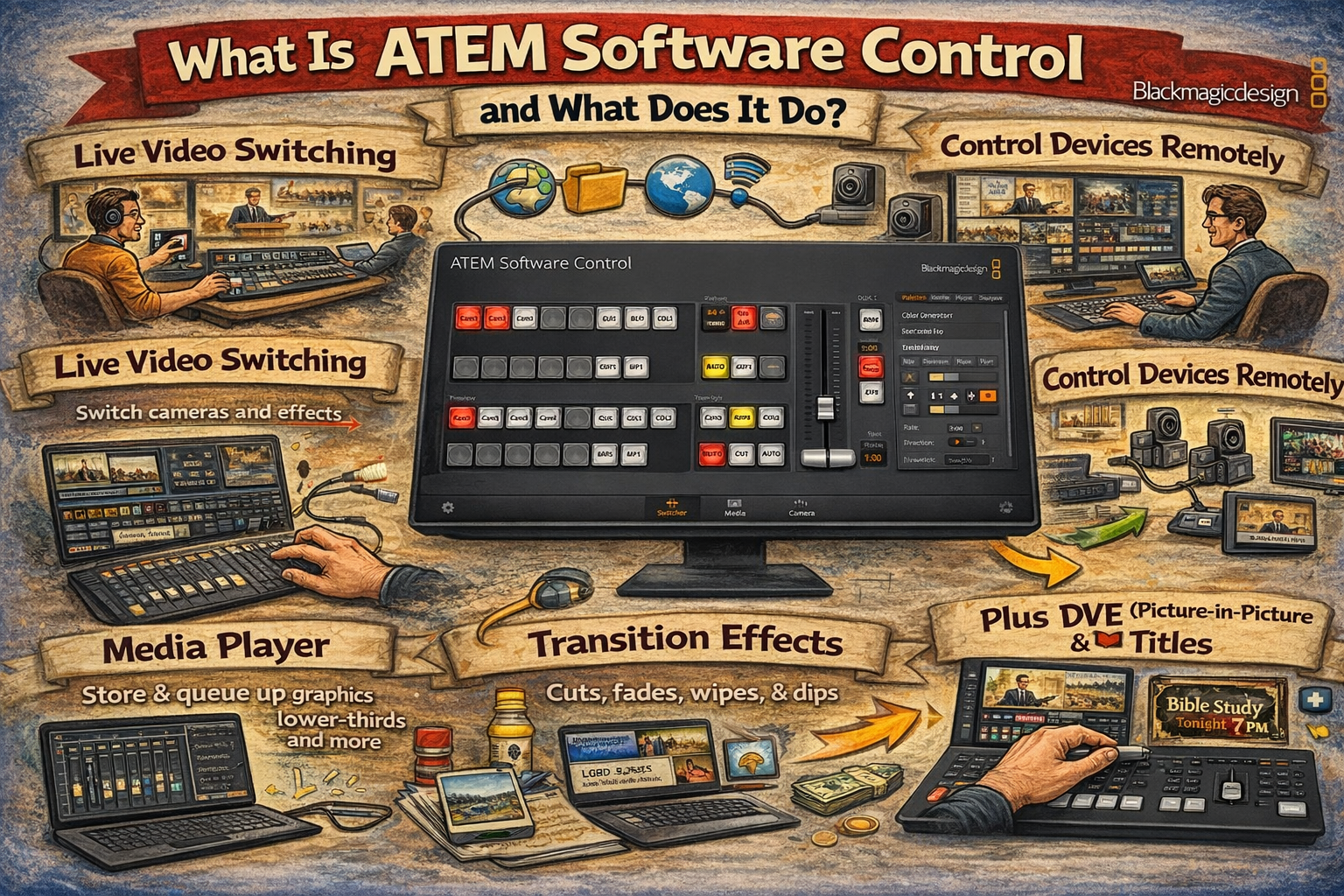
ATEM Software Control is a free companion application developed by Blackmagic Design for use with all ATEM video switchers. The software provides a virtual control panel on a computer screen, replicating the functions of the hardware panel and providing access to advanced features not available through the physical buttons alone. ATEM Software Control ships with every ATEM switcher and can also be downloaded at no cost from the Blackmagic Design support page.
The application organizes its interface into distinct tabbed pages: Switcher, Audio, Media, Macros, and Camera Control. Each page provides dedicated controls for a major production function. Several critical capabilities, including Fairlight audio processing, media pool management, macro programming, and camera color correction, are accessible only through ATEM Software Control.
Supported Platforms and Connection Methods
ATEM Software Control runs on macOS 14.0 Sonoma or later (including macOS 15.0 Sequoia) and Windows 10 or Windows 11. Linux is not supported. The software is included in the “ATEM Switchers” download package alongside the ATEM Setup utility, documentation, and a Photoshop plug-in for direct graphic transfer to the media pool.
Two connection methods link the software to an ATEM switcher. USB provides a direct single-computer connection with automatic detection and no network configuration. Ethernet enables multi-computer access, allowing multiple operators to run separate copies of ATEM Software Control simultaneously on different machines. Ethernet also permits remote operation from any location with network access. In multi-operator configurations, one person can handle switching while another manages audio and a third loads media, each from an independent workstation.
Software Switching Panel
The Switcher page serves as the primary production interface. It displays a program bus, which is always live, and a preview bus for selecting sources before they appear on air. Transition controls support mix, dip, wipe, DVE, and stinger transition types, each with adjustable duration and timing. A virtual fader bar allows manual transition control.
Upstream keyers (USK) support luma key, chroma key, pattern key, and DVE key types. The advanced chroma keyer includes spill suppression, flare suppression, and foreground color correction parameters. Downstream keyers (DSK) overlay graphics such as logos and lower thirds over the program output post-transition.
On supported models, SuperSource provides a multi-layer compositing engine for creating picture-in-picture layouts and multi-camera compositions. Output configuration options include streaming service selection, recording settings, and HDMI output routing. The Switcher page also provides controls for saving and restoring complete switcher states as XML files.
Media Pool Management
The Media page manages all still images and motion clips stored in the ATEM switcher’s internal memory. The ATEM Mini series supports up to 20 still image slots with full alpha channel support. Supported file formats include PNG, TGA, BMP, GIF, JPEG, and TIFF. Files with embedded alpha channels in PNG or TGA format load automatically as linear key sources, making them suitable for lower thirds, titles, and logo overlays.
Uploading media uses a drag-and-drop interface. A file browser on the left panel allows navigation of the host computer’s storage, and files are dropped into numbered slots in the media pool. Each slot displays its number and the loaded file name for identification. Media players within the switcher assign loaded stills or clips to switchable input sources.
On larger ATEM models, the media pool also supports motion clips for animated transitions and stingers, with capacities of up to 800 frames at 720p HD, 400 frames at 1080p HD, and 200 frames at 2160p Ultra HD. Saving the switcher state preserves all media pool contents alongside switcher settings.
Fairlight Audio Mixer
The Audio page provides a professional Fairlight audio mixer with per-channel processing. The number of available channels varies by ATEM model: ATEM Mini models support up to 12 channels, while ATEM Constellation models support up to 160 channels (Blackmagic Design).
Each input channel features an independent 6-band parametric equalizer for precise frequency shaping. Dynamics processing on every channel includes a compressor, limiter, expander, and noise gate. The compressor and limiter prevent excessive volume and distortion. The noise gate eliminates background noise from microphone inputs. Full stereo panning is available per input.
Real-time level meters display on all channels. Audio Follow Video (AFV) mode automatically switches audio when the video source changes. Per-source audio on/off buttons allow manual inclusion or exclusion of sources from the program mix. A master fader controls the final mixed program output level. The Fairlight audio mixer in ATEM Software Control provides the same processing engine used in Blackmagic Design’s dedicated Fairlight audio consoles.
Macro Programming
The Macros page enables recording, editing, and playback of automated switcher action sequences. ATEM Software Control provides 100 macro slots, displayed 20 per page. Each macro can be named and described for identification.
Recording a macro requires selecting a slot and pressing the record button. All subsequent switcher actions are captured automatically, including source transitions, key adjustments, audio level changes, and camera control settings. Pause commands with frame-based timing can be inserted between actions. Playback executes the recorded sequence with a single click, and a loop option enables continuous repetition.
Macros are stored internally in the ATEM switcher and can be exported as XML files. The XML format allows advanced editing outside ATEM Software Control, enabling precise adjustments, combination of multiple macros, and creation of sequences that exceed what the recording interface can capture. A Visual Studio Code extension called “ATEM Macro Snippets” assists with XML macro authoring. Macros can call other macros, enabling chained automation of complex multi-step production sequences.
Camera Control
The Camera Control page provides remote adjustment of compatible Blackmagic Design cameras connected via HDMI. Supported models include the Blackmagic Pocket Cinema Camera 4K, Pocket Cinema Camera 6K (all variants), Studio Camera models, and URSA Mini Pro. As of the ATEM Switchers 10.2 update in late 2025, Sony camera control is also supported (Newsshooter).
Controllable parameters include iris, gain/ISO, shutter speed, focus, zoom (on compatible lenses), white balance, and color temperature. The DaVinci Resolve primary color corrector built into Blackmagic cameras is fully accessible, with controls for lift, gamma, gain, and offset across all color channels. Two interface layouts are available: a traditional CCU (Camera Control Unit) layout and a DaVinci Resolve color corrector layout.
Camera control communication travels through the HDMI cable that connects the camera to the ATEM switcher. The switcher broadcasts control packets via all HDMI inputs, and cameras detect and respond to these embedded signals. No additional cables or configuration are required for HDMI-connected Blackmagic cameras. Tally light control, indicating which camera is live, is also managed through this same HDMI connection.
ATEM Setup Utility vs. ATEM Software Control
ATEM Setup and ATEM Software Control are two separate applications installed from the same download package. They serve distinct purposes and do not overlap in functionality.
ATEM Setup handles system-level configuration: firmware updates, network IP address settings, unit naming, and panel behavior settings such as program-preview versus cut bus switching modes. Firmware updates can only be performed through ATEM Setup. ATEM Software Control does not provide access to these system-level settings.
ATEM Software Control handles all live production operations: video switching, audio mixing, media pool management, macro programming, and camera control. ATEM Setup does not provide access to any of these production functions. The typical workflow uses ATEM Setup for initial configuration and firmware maintenance, then ATEM Software Control for all ongoing production work.
Product Integration
ATEM Software Control works with every ATEM switcher model. For church production environments, several pre-configured streaming kits pair ATEM switchers with cameras and accessories for a complete production system.
The ATEM Mini Pro 2-Camera Streaming Kit provides a two-camera setup with an ATEM Mini Pro switcher. The ATEM Mini Pro 3-Camera Streaming Kit and ATEM Mini Pro 4-Camera Streaming Kit expand capacity with additional camera inputs. The Move-4K 3-Camera PTZ Kit with ATEM Mini Pro pairs PTZOptics Move 4K cameras with an ATEM Mini Pro for remote-controlled pan-tilt-zoom operation. All kits include full access to ATEM Software Control and its complete feature set at no additional software cost.