
Using the ATEM Extreme for In-House Screens and Live Stream Simultaneously

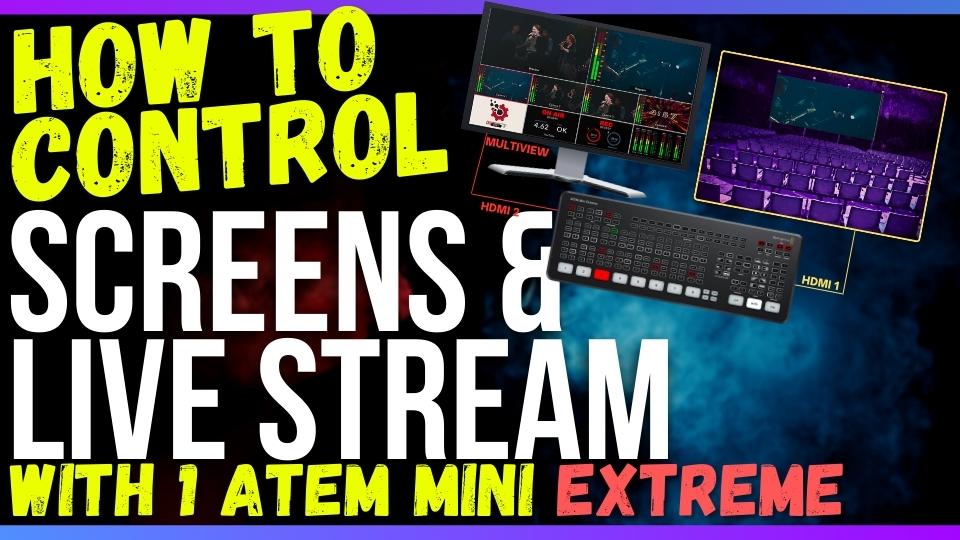
In today’s technologically advanced world, churches are constantly seeking innovative ways to engage their attendees during services. One popular method is the use of video footage displayed on in-house screens, which can greatly enhance the worship experience and capture the attention of congregants. However, a challenge arises when churches also want to live stream their services while simultaneously showcasing video content on the screens. How can these elements be coordinated in a way that allows for independent or simultaneous control? The answer lies in the powerful ATEM Mini Extreme.
Why Choose the ATEM Mini Extreme?
The ATEM Mini Extreme is an ideal solution for churches seeking to control their in-house screens effectively. Its multi-view feature enables seamless operation of multiple cameras, providing a clear view of the proceedings. With two HDMI outputs, churches can utilize one for multi-view purposes and the other for the in-house screens, commonly referred to as IMAG (Image Magnification). This setup allows for independent control and coordination of the content being displayed on both the screens and the live stream.
Setting Up the ATEM Mini Extreme:
To maximize the capabilities of the ATEM Mini Extreme, it is essential to establish the proper configuration. Begin by connecting your multi-view monitor, which serves as a reference monitor, to HDMI output number two. Then, connect the IMAG screens to HDMI output number one. This arrangement empowers you to switch the content displayed on the screens independently from what is projected through the program out or live stream.
Controlling Your Screen Display:
When it comes to choosing the content for your in-house screens, the ATEM Mini Extreme offers various options to cater to your specific needs. One approach is to show the program out, which mirrors the live stream and the recorded footage. This option allows you to incorporate additional elements like Super Source and lower thirds onto the screens.
However, if you prefer to customize the content displayed on the screens, you can select a specific source and showcase it in full screen on IMAG. This feature is especially useful when incorporating software such as Pro Presenter, Media Shout, or Easy Worship for sermon slides, graphics, and videos. By selecting the desired source, you can present it exclusively on the screens, offering a unique visual experience.
The Benefits of Customization:
While utilizing the program out option is convenient for most scenarios, there are instances when displaying different content on the live stream and in-house screens may be desired. For example, during a particular segment of the service dedicated to video announcements, you can maintain the program out for the live stream while using the ATEM’s switch buttons to show camera one on the IMAG screens. Once the announcements conclude and worship songs commence, the content can seamlessly transition back to program mode for both the live stream and IMAG.
The Versatility of the ATEM Mini Extreme:
The ATEM Mini Extreme serves as a remarkable tool for churches seeking a streamlined approach to controlling content displayed on in-house screens and live streams. Its capability to separate or combine these elements enables flexibility in adapting to specific service requirements. Whether you prefer unified content or distinct displays for different audiences, the ATEM Mini Extreme offers an intuitive and efficient solution.
Integrating video content into church services has become increasingly popular, revolutionizing the worship experience for attendees. With the ATEM Mini Extreme, churches can take control of their in-house screens and live streams, ensuring a seamless and captivating service. Whether it’s showcasing program out or customizing content for the screens, the ATEM Mini Extreme empowers churches to enhance their services and engage their congregations on a whole new level.
We hope this guide has provided valuable insights for optimizing your live stream setup. If you’re considering upgrading your equipment or exploring new camera options, we invite you to visit churchsetup.com to discover our wide range of offerings tailored to meet the needs of modern churches.