
Best ATEM Mini Pro workflow for Sunday volunteers

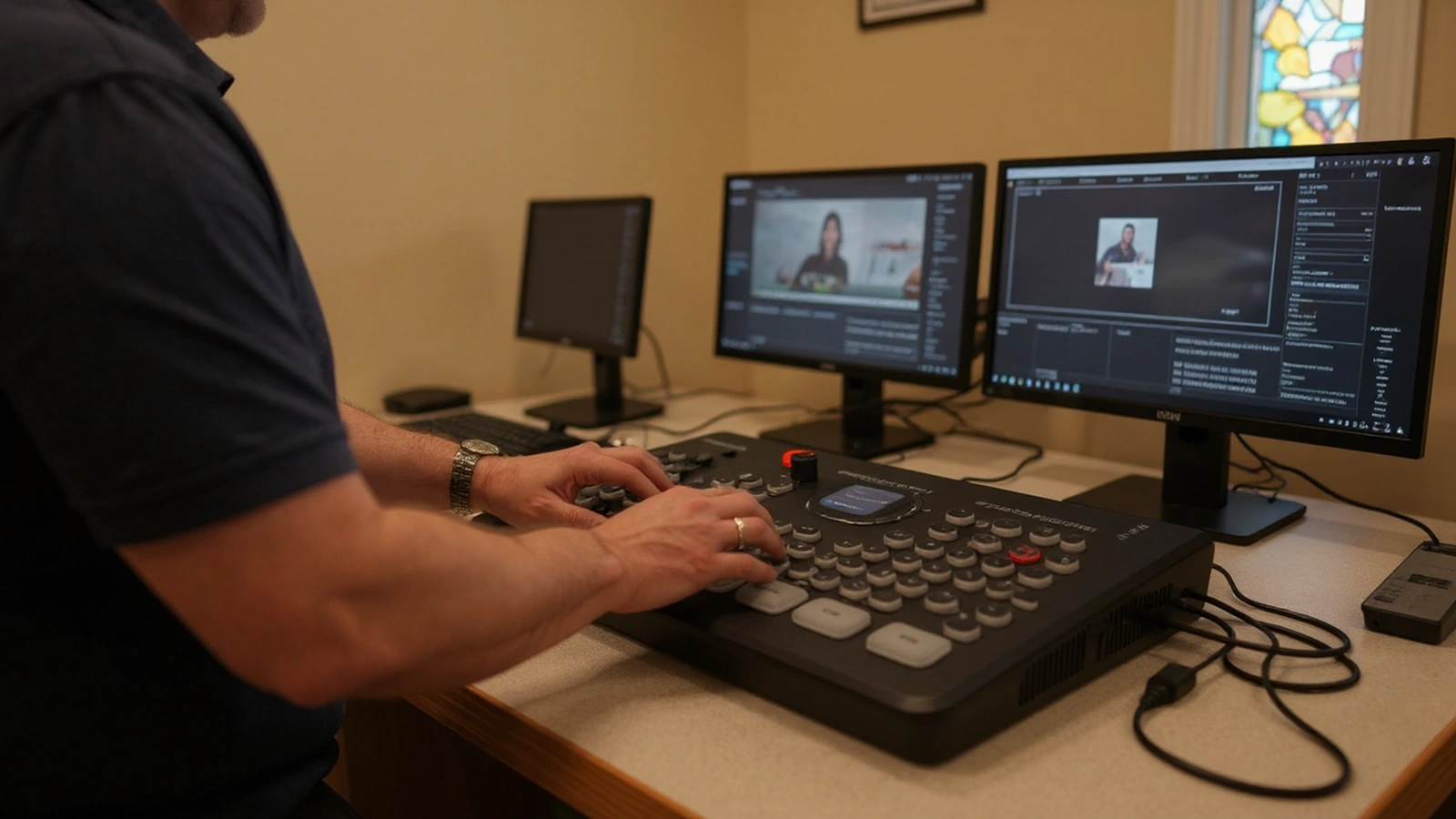
The best Sunday workflow is the one a volunteer can run after a single walkthrough, the one that survives the week when your most experienced person is out of town. With an ATEM Mini Pro, that kind of dependable routine is genuinely achievable, because the box was built to be operated by people who do not live in a control room. The trick is to design the morning so the operator makes a handful of confident decisions rather than a hundred fiddly ones.
We have handed this system to first-time volunteers in churches of every size, and a clear pattern works almost everywhere. This guide lays out that workflow start to finish: how to set up the cameras so switching is easy, the order of operations before the service, what the operator actually does during it, and how to make the whole thing repeatable for the next person.
Set the cameras up so switching is the easy part
Almost all of the work that makes a Sunday calm happens before the service, in how the cameras are prepared, because a volunteer who only has to press buttons cannot be overwhelmed by camera operation. With PTZ cameras feeding the ATEM Mini Pro, you save preset positions in advance, a wide shot of the room, a tight shot of the pulpit, an angle on the worship area, so the operator recalls a framed shot instead of steering a camera live. This is the single most important design choice in a volunteer workflow.
Presets turn what would be several camera operators into one person at the switcher. When a camera holds its own positions, the volunteer’s job collapses to choosing which good-looking shot to show next, and the cameras do the aiming. Our Move-SE 2-camera kit with the ATEM Mini Pro is built around exactly this idea, pairing preset-capable PTZ cameras with the switcher so a single seat can run two angles smoothly.
Setting those presets well is worth doing once with care. Frame each shot a little loose so a speaker who shifts does not walk out of frame, match the exposure and color across cameras so cuts do not jump in brightness, and save the positions where the camera can recall them instantly. If you are still deciding where the cameras should physically live, our guide to church camera placement covers the mounting choices that make good shots possible in the first place.
The pre-service routine, in order
A reliable Sunday starts with the same short checklist every week, performed in the same order, so nothing depends on memory under pressure. The operator powers on the cameras first and gives them a minute to boot and reach their saved positions, then powers on the ATEM Mini Pro and confirms each camera is showing up in the multiview as a live, correctly framed picture rather than a black box.
Audio comes next, because it is the part most likely to be forgotten and the part a congregation least forgives. Confirm the feed from the sound board is reaching the switcher and sitting at a healthy level in the ATEM’s audio mixer, well clear of clipping, and mute any camera microphones you are not using so the room’s echo does not leak into the stream. A quick listen on headphones to what the switcher is actually sending settles this in under a minute.
The last steps are the stream itself. Start the recording to the USB drive so the service is captured regardless of what happens to the internet, then start the stream to your platform and verify on a phone or second screen that the picture and sound are actually live and in sync. Doing these in the same sequence each week is what lets a new volunteer follow the routine without improvising, and it is the backbone of the setup we describe in the best ATEM Mini Pro live stream setup for churches.
What the operator does during the service
Once the stream is live, the operator’s whole job is to show the most worth-watching shot and switch cleanly, which is far simpler than it sounds with presets in place. During the sermon that usually means holding the tight shot of the speaker and resisting the urge to switch constantly, because a steady, well-framed shot looks more professional than restless cutting. The lit button on the ATEM tells the operator exactly what the audience is seeing, so there is never any guessing about what is live.
Switching becomes a matter of timing rather than skill. Cut to the wide shot when the congregation stands or the worship team takes over, push in tight when one person is speaking or singing, and use a gentle cut or fade rather than a flashy transition for camera-to-camera moves. A useful instinct to teach a new volunteer is to switch on natural breaks, between songs, at the move from announcements to the message, so the change feels intentional rather than nervous.
When a presentation or a video belongs in the stream, it comes in as just another input the operator can cut to. A laptop running your slides feeds an HDMI input the same way a camera does, and a sermon video or announcement plays from that computer into the switcher, so the operator simply selects that input when it is time. Keeping presentation content as plain files you control also sidesteps the protected-content issues that can leave a source black, a habit we recommend when handling media and audio in a church stream.
Keep the morning calm by reducing decisions
The difference between a stressful booth and a calm one is usually the number of choices the operator has to make in the moment. Every decision you can settle in advance, the camera framing, the audio levels, the stream settings, the order of operations, is one fewer thing to get wrong at 10:25 on a Sunday. A volunteer who only has to choose which preset shot to show is operating within their confidence; one who has to also frame cameras, balance audio, and remember stream keys is being set up to slip.
This is also why a matched kit makes volunteer life easier than assembling parts separately. When the cameras, cabling, and switcher were chosen to work together, there are fewer surprises to troubleshoot mid-service, and the routine stays the same week after week. The Move-SE 1-camera kit with the ATEM Mini Pro keeps the decision count especially low for a church that wants the simplest possible reliable stream, since a single framed camera and a clean board feed is about as few moving parts as a real service can have.
Make it repeatable for whoever runs it next
A workflow that only one person understands is a workflow waiting to fail, so the final piece is writing it down and labeling the gear. A simple printed checklist taped near the switcher, listing the power-on order, the audio check, and the steps to start recording and streaming, lets a brand-new volunteer follow the same routine your veteran uses. Label the HDMI inputs so it is obvious which button is which camera, and the morning stops depending on anyone’s memory.
Presets make handoff genuinely easy, because the shots are already framed and saved in the cameras, so a new operator inherits good-looking angles rather than having to compose them. Spend one focused session training two or three volunteers together on the same checklist, let each run a full service while another watches, and you have built a team rather than a single point of failure. A church that wants more than one angle in that rotation will find the Move-SE 3-camera kit with the ATEM Mini Pro still keeps operation to a single, learnable seat thanks to those same presets.
Lean on remote setup so volunteers start strong
One of the quieter advantages of the cameras we build these kits around is that much of the hard configuration can be handled for the volunteer rather than by them. Because PTZ cameras like the PTZOptics Move-SE can be configured remotely, we can help dial in exposure, color, and preset positions over a screen-share once the cables are connected, so your operator starts from a system that is already framed and balanced rather than a blank slate. That removes the most intimidating part of the setup from the volunteer’s plate entirely.
It also changes what a problem feels like. When something drifts, a camera output setting changes or a preset moves, a quick remote check can often sort it before Sunday rather than leaving a volunteer to navigate menus under pressure. This kind of support is the reason we so often recommend PTZOptics for churches, as we explain in our look at the best PTZ camera for church, where supportability matters as much as image quality.
A simple place to start
The strongest volunteer workflow comes from preparing the cameras with presets, following the same short checklist every week, and writing it all down so the next person can step in, and the ATEM Mini Pro is built to make that routine dependable. Get those habits in place and a first-time operator can run a clean, multi-angle service with nothing more than a few confident button presses.
If you want a system designed around that kind of simplicity from day one, start with a matched kit so every piece supports the routine. The Move-SE 1-camera kit with the ATEM Mini Pro is the easiest possible starting point for a single volunteer, and the Move-SE 2-camera kit with the ATEM Mini Pro adds a second angle while keeping operation to one seat and one checklist. Tell us about your room and your team, and we will help you set up a Sunday workflow your volunteers can own.