
Introducing the ATEM Mini Extreme ISO G2: A Simpler, Stronger Livestream Switcher

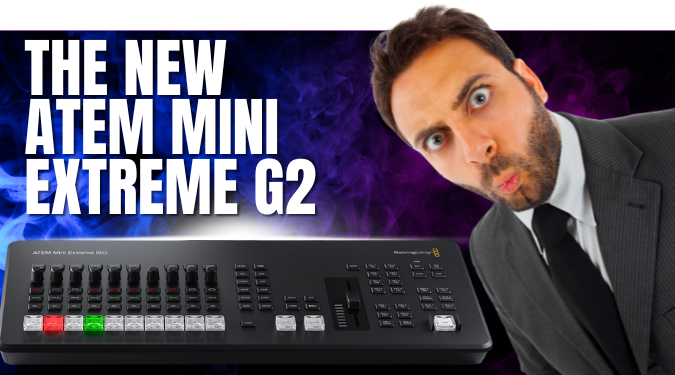
For years, Blackmagic’s ATEM Mini line has been a trusted “engine room” for countless worship livestreams — especially for portable setups, volunteer teams, and churches doing more with less.
But this year, something shifted.
Blackmagic didn’t just update the ATEM Mini Extreme ISO…
They reimagined it.
The G2 version isn’t a facelift — it’s a foundational leap forward in reliability, audio quality, replay capability, and the overall ease of running a multi-camera service. For churches, that means clearer broadcasts, calmer volunteers, and tech that serves your calling instead of distracting from it.
The ATEM Mini Extreme ISO G2
Let’s walk through what’s new — and why it matters for ministry.
1. A Redesigned Control Panel That Actually Makes Live Mixing Easier
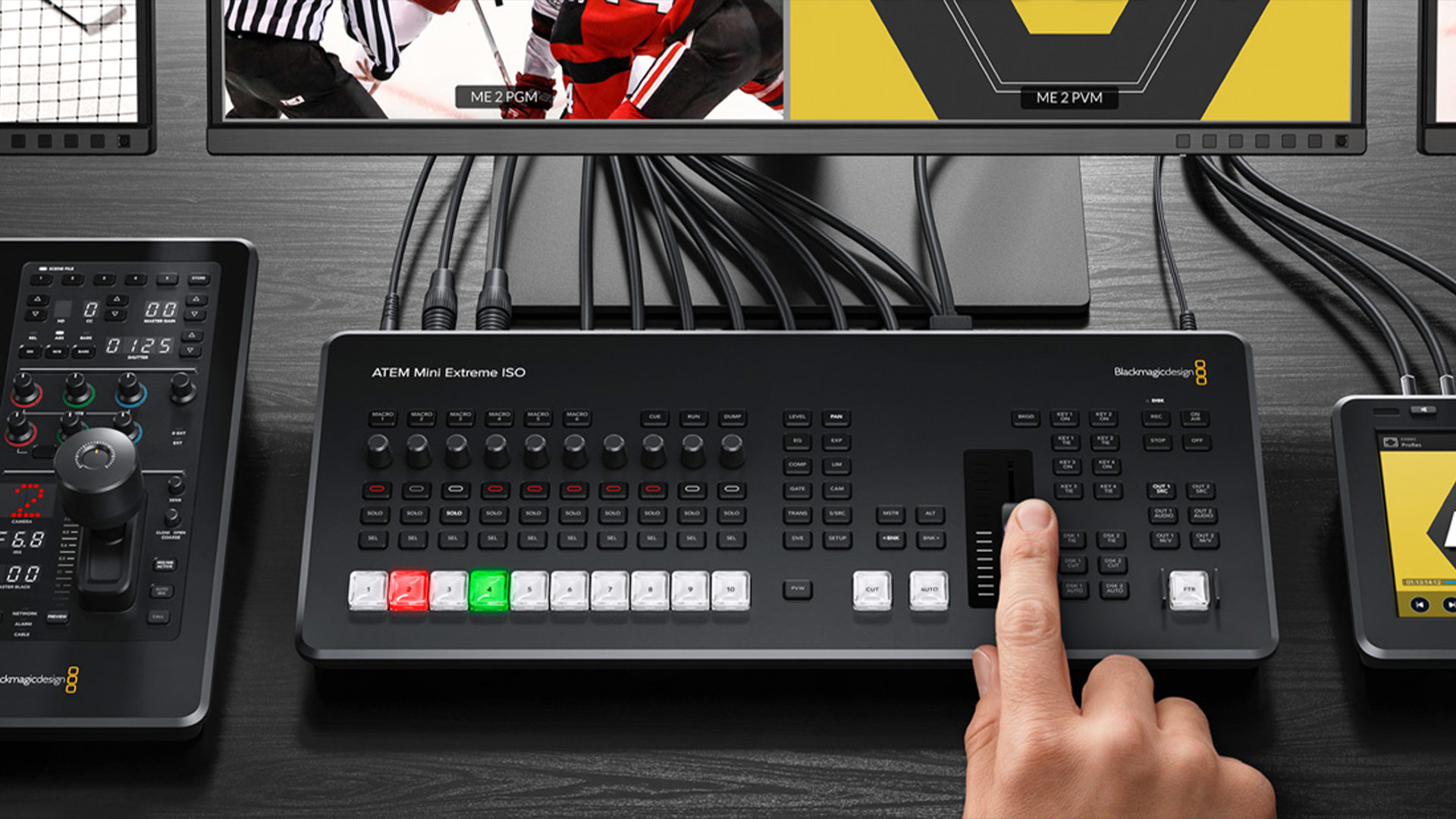
Think of the old ATEM Mini Extreme as a crowded desk drawer: everything was there, but nothing was easy to grab. The G2 flips that completely.
-
Larger, raised switching buttons (far fewer accidental presses).
-
Clear separation of control sections — volunteers instantly know where to look.
-
A new transition slider (mini T-bar) for smooth, expressive transitions.
-
Dedicated preview button for hybrid mixing (great for newer operators).
-
10 customizable source buttons, giving your church room to grow.
This redesign alone removes a ton of livestream anxiety. It feels like Blackmagic finally said, “Let’s make this easy for real people in real-time.”
2. A Huge Upgrade in Audio for Churches That Care About Clarity
Here’s a quiet truth: poor audio breaks a worship stream faster than poor video.
And the G2 finally treats audio like a first-class citizen:
-
Dual full-size XLR inputs with mic/line switching and 48v phantom power.
-
MADI input bringing in 16 channels from your digital mixer.
-
A dramatically improved audio interface, including:
-
Full EQ
-
Compressor
-
Limiter
-
Noise gate
-
Expander
-
Pan
-
-
Per-input delay control for analog sources to match digital camera latency.
For churches, this means you can finally keep your mix clean, synced, and ministry-ready — without needing another external audio rack.
3. Internal CFexpress Recording + Faster Workflows
One of the biggest G2 upgrades is internal CFexpress recording. Previously, churches had to hang an SSD from a USB-C port. Now you can:
-
Record all ISOs internally in a sturdy, removable format
-
Access the card over your network thanks to the new 10G Ethernet port
-
Watch DaVinci Resolve open your project instantly via the built-in DRP file
This is a gift for teams that need same-day edits, sermon clips, or youth-group highlights.
4. Thunderbolt Integration for Live Graphics & Replay

This might be the most ministry-impacting feature of all.
The new Thunderbolt port turns Resolve into a live graphics and instant-replay engine:
-
Live lower thirds
-
Stinger transitions
-
Real-time highlight creation during conferences, youth camp, baptisms, or sports events
-
Replay transitions controlled from the ATEM panel itself
This isn’t just for high-end sports productions anymore. It’s something a volunteer team can learn — and churches can use to tell stories beautifully.
5. Better Build Quality + A More Professional Feel
From the upgraded buttons to the tactile layout and the improved T-bar, the G2 feels like Blackmagic took notes from their higher-end switchers.
For churches, this means:
-
More durability
-
More confidence under pressure
-
A smoother experience for every Sunday
It’s still portable — but it’s built for the real demands of ministry.
Comparison: G2 vs. Extreme G1 vs. Mini Pro ISO
Here’s a clear side-by-side snapshot your team can use:
| Feature | ATEM Mini Extreme ISO G2 | ATEM Mini Extreme ISO (G1) | ATEM Mini Pro ISO |
|---|---|---|---|
| HDMI Inputs | 8 | 8 | 4 |
| HDMI Outputs | 3 outputs | 2 | 1 |
| USB Ports | 3 (1 Thunderbolt) | 2 (no TBolt) | 1 |
| Internal Recording | CFexpress slot + USB-C | USB-C only | USB-C only |
| Audio Inputs | 2 XLR + MADI | 2 3.5mm | 2 3.5mm |
| Advanced Audio (EQ/Comp/Limiter) | Yes | Limited | Limited |
| Replay Workflow | Integrated via Thunderbolt/Resolve | No | No |
| Button Layout | Redesigned, larger, tactile | Small, dense controls | Smaller layout |
| Transition Slider / T-bar | Yes | No | No |
| Network Speed | 10G + 1G | 1G | 1G |
| ISO Recording | Yes | Yes | Yes (4-cam) |
| Best For | Growing churches needing pro features in a portable setup | Existing Mini Extreme users | Simple 1–2 camera ministries |
What This Means for Churches
If your livestream is part of your church’s outreach — if it’s helping shut-ins stay connected, helping young families engage, or reaching people who haven’t walked into a sanctuary yet — then clarity matters.
The ATEM Mini Extreme ISO G2 brings:
-
Cleaner audio
-
Smoother Sundays
-
More volunteer-friendly controls
-
Better ways to tell stories and share moments
-
A future-proof platform for ministry growth
For many churches, this isn’t just an upgrade.
It’s a step toward greater clarity in the message God has trusted you with.
Final Thought — Should Your Church Invest in the G2?
If your church cares about storytelling, worship quality, and long-term growth — if you envision adding cameras, doing sermon-clip editing, producing worship nights, baptisms, or multi-site streaming — then the jump to G2 is more than just “nice to have.” It’s a solid investment in ministry infrastructure.
The G2 becomes not just a switcher — but your production hub. It reduces complexity, empowers volunteers, and opens doors to creative, high-quality video from worship services, sermons, and church events.
But if your setup is simple, your budget tight, or your needs modest — staying with the original (or simpler) model may well honor good stewardship without sacrificing what matters most: clear communication and faithful worship.
You can upgrade to the G2 in all our ATEM Mini kits by clicking the upgrade button before adding to cart.